

Google Chrome vs DuckDuckGo
In Depth, Privacy-Focused Browser Comparison
Last Updated
Table of Contents [Open] [Close]
- Google Chrome vs DuckDuckGo
- In Depth, Privacy-Focused Browser Comparison
- Introduction to Google Chrome & DuckDuckGo
- The Best Private Browsers
- Background
- Google Chrome
- DuckDuckGo Browser
- User Interface & Experience
- Google Chrome
- DuckDuckGo Browser
- Privacy Features
- Google Chrome
- Make Google Chrome Private in 10 Minutes
- DuckDuckGo Browser
- Data Collection & Usage
- Google Chrome
- DuckDuckGo Browser
- Security
- Google Chrome
- DuckDuckGo Browser
- Customisation & Extensions
- Google Chrome
- DuckDuckGo Browser
- Performance & Compatibility
- Google Chrome
- Google Chrome Speed Tests
- DuckDuckGo Browser
- Pros and Cons
- Google Chrome
- DuckDuckGo Browser
- Conclusion & Recommendation
- Download & Install DuckDuckGo Browser in Windows 10/11
- Useful Links
- Browser Downloads
- Recommended Add-ons
- Trending Categories
Introduction to Google Chrome & DuckDuckGo
Online privacy is now a major concern for people around the world, influencing how we choose our browser and manage our personal information. With new digital threats emerging regularly, users are seeking platforms that offer both speed and robust privacy protections. In the Google Chrome vs DuckDuckGo comparison, these two browsers represent very different approaches to safeguarding data.
Chrome is known for its fast performance and wide range of features, but its integration with Google services means search activity and browsing habits are often tracked. DuckDuckGo, on the other hand, puts privacy first, minimising data collection and blocking trackers by default. Understanding these differences is essential for anyone who values online security and wants to control their digital footprint.
For those interested in exploring more secure options, The Best Private Browsers for 2025 offers practical insights into privacy-focused browsing.
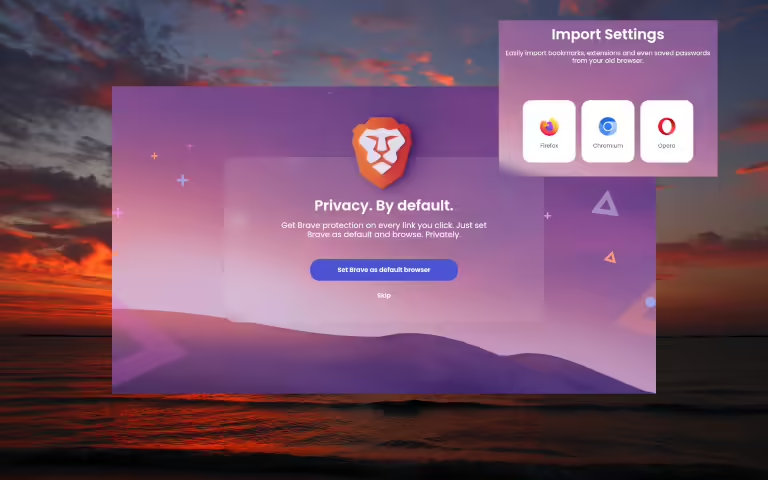
The Best Private Browsers
As users navigate the web, they unknowingly leave behind a trail of data that can be harvested by corporations and third-party entities.
Background
The evolution of browser technology has been shaped by growing demands for privacy and usability, which now influence the features and design of every web browser. Understanding the history and philosophy behind each browser helps clarify the differences in the Google Chrome vs DuckDuckGo debate. As people become more aware of digital privacy, the way browsers collect and manage data has become a major factor in user choice.

Google Chrome
Since its launch in 2008, Google Chrome has set new standards for speed, simplicity, and reliability. Its integration with Google services allows users to move seamlessly between email, cloud storage, and productivity tools. The vast selection of extensions found in the web store further enhances Chrome’s appeal, making it a flexible choice for a wide range of users. However, Chrome’s approach to personalisation and advertising relies heavily on collecting user data. This ongoing reliance on data has raised privacy concerns, placing Chrome at the centre of debates about transparency and security in the Google Chrome vs DuckDuckGo comparison.

DuckDuckGo Browser
DuckDuckGo Browser was developed in response to rising demand for privacy-first browsing. Built on the principles that power the duckduckgo search engine, it blocks trackers and avoids building user profiles. The browser’s commitment to transparency and straightforward design appeals to people who want more control over their digital footprint. Unlike Chrome, DuckDuckGo Browser does not store personal data or create detailed user profiles, making it a strong choice for those who value privacy. As more users seek alternatives to mainstream browsers, DuckDuckGo’s privacy-focused features continue to attract attention in the global conversation around secure browsing.
User Interface & Experience
A browser’s interface plays a crucial role in everyday usability, directly influencing how comfortable and efficient users feel online. In this section, the Google Chrome vs DuckDuckGo comparison focuses on design, accessibility, and overall user experience.
Google Chrome
Google Chrome’s interface is designed for clarity and efficiency, making navigation straightforward for users on any device. The browser performs exceptionally well on Apple computers and mobile devices, ensuring consistency across platforms. Chrome’s support for video player technologies allows users to enjoy smooth streaming and playback of various media formats. Quick startup times and reliable tab management help users get online and stay productive without delay. For those who frequently use social networks, Chrome’s integration with Social Media platforms simplifies sharing and communication, making it easy to stay connected.
DuckDuckGo Browser
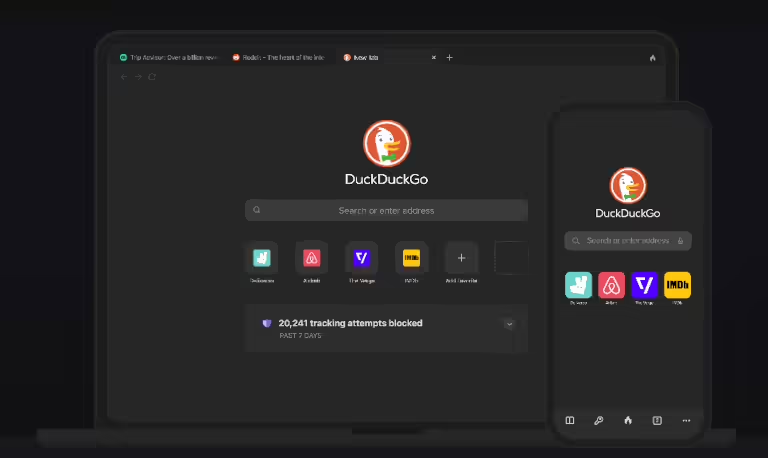
DuckDuckGo Browser features a clean, minimalist interface that prioritises privacy and simplicity. Essential controls are always visible, providing a distraction-free experience. The browser’s lightweight design ensures fast loading times, even on older devices, and its performance remains stable over different WiFi connections. DuckDuckGo’s compatibility with content of all types means users can browse news, media, and other sites without issue. For those interested in secure mobile browsing, the browser works well with iPhone Apps, providing a consistent experience across devices.

Find My Android!
Learn How to Recover your Lost Android Phone using Google, Samsung, Prey Anti Theft, Cerberus, Bluetooth Trackers and Get Mobile Security Tips for Privacy and Protection.
Privacy Features
Privacy is a defining factor in browser choice, and the approaches taken by Google Chrome and DuckDuckGo reflect fundamentally different philosophies.
Google Chrome
Google Chrome provides users with a range of privacy controls, including incognito mode and site-specific permissions. These features allow individuals to limit what data is shared during browsing sessions. However, Chrome’s deep integration with Google’s wider ecosystem means that data collection remains central to its operation. Personal information, browsing history, and search activity are often used to personalise content and advertisements. While users can adjust privacy settings, the browser’s connection to Google services means that some data sharing is inevitable. This balance between convenience and privacy is a key consideration in the Google Chrome vs DuckDuckGo comparison, especially for those concerned about their online presence.
Make Google Chrome Private in 10 Minutes
DuckDuckGo Browser
DuckDuckGo Browser is built with privacy at its core, blocking trackers and minimising the collection of personal information by default. Unlike Chrome, it does not store search history or build user profiles, which appeals to those seeking true privacy. The browser uses strong encryption to protect data during browsing sessions and provides clear information about what is being blocked. Users who want an extra layer of protection can pair DuckDuckGo Browser with services such as NordVPN, further reducing exposure to tracking and surveillance. This commitment to transparency and security makes DuckDuckGo a preferred choice for privacy-focused users.

Data Collection & Usage
Browsers differ significantly in how they collect and use personal data, which can affect both privacy and trust.
Google Chrome
Chrome is known for its deep integration with Google’s ecosystem, which results in extensive data collection from users. The browser gathers information such as browsing history, site interactions, and search queries to personalise services and targeted advertising. While privacy settings allow users to limit some data sharing, Chrome’s connection to analytics tools means much of this information is used to refine products and advertising algorithms. This level of data usage can influence your overall security and how visible you are online.
DuckDuckGo Browser
DuckDuckGo Browser stands apart by prioritising anonymity and limiting the collection of personal information. Unlike Chrome, it does not store search history or build user profiles, which appeals to those who value privacy and control. The browser’s approach to search ensures that queries remain private and are not used for targeted advertising. Transparency is central, so users always understand what data—if any—is being handled, helping maintain a secure online presence without unnecessary exposure.
Security
Robust security features help protect users from evolving online threats and keep personal information safe. The way browsers approach security can be a deciding factor for many people when choosing between platforms.

Google Chrome
Google Chrome is constantly updated to address vulnerabilities and defend against evolving threats. The browser uses advanced cybersecurity protocols to protect users from phishing scams, malicious downloads, and harmful websites. Chrome’s threat-detection systems are supported by Google’s global intelligence network, which helps identify and neutralise risks in real time. For users concerned about sophisticated attacks, Chrome’s robust security tools help reduce the risk posed by cybercriminals targeting personal data. These proactive measures make Chrome a reliable option for those who prioritise safety in their daily browsing.
DuckDuckGo Browser
DuckDuckGo Browser offers a focused approach to security, keeping the user’s safety at the centre of its design. The browser’s automatic blocking of malicious scripts and suspicious downloads helps users avoid common dangers. DuckDuckGo also responds quickly to new trends in online threats, such as deepfake scams and synthetic media, by regularly updating its defences. Its straightforward interface means fewer background processes, reducing the chance of hidden vulnerabilities. For users seeking peace of mind, DuckDuckGo’s commitment to security is clear, providing effective protection without unnecessary complexity.

New Deepfake Laws
Many countries are introducing new digital laws to address deepfakes. If you create or share content online, these new rules affect you.
Customisation & Extensions
Customisation plays a major role in how users interact with their browsers, offering flexibility and control over the browsing experience.
Google Chrome
Google Chrome is well-known for its ability to adapt to individual preferences. Users can personalise their experience with a wide range of add-ons, including tools for productivity, security, and entertainment. Chrome’s compatibility with various Android Apps and integration with software solutions allows for even greater flexibility, meeting the needs of users across different devices. Many choose Chrome for its support of advanced security extensions, which help protect against online threats while maintaining a smooth browsing experience. These options make Chrome a top choice for those who want a browser that can be tailored to their unique requirements.
DuckDuckGo Browser
DuckDuckGo Browser takes a streamlined approach to customisation, focusing on essential privacy features. While the browser doesn’t offer a large extension marketplace, users benefit from built-in protections that limit tracking and data collection. The interface is easy to adjust, with straightforward settings that prioritise user control. For those interested in maintaining a secure online banking environment or avoiding phishing, DuckDuckGo’s core features provide strong safeguards without the need for extra add-ons. This simplicity appeals to users who value privacy and ease of use above extensive customisation.
Performance & Compatibility
Performance and compatibility are crucial for a smooth browsing experience, especially as users access the internet from a variety of devices and networks.

Google Chrome
Google Chrome is recognised for its fast load times and efficient resource management. The browser performs well across different operating systems, including Apple devices and Android platforms. Chrome’s ability to handle complex content and media files makes it a popular choice for streaming, gaming, and everyday browsing. Compatibility with a wide range of websites and web applications ensures users rarely encounter issues, even when running demanding tasks. For those experiencing slow connections, running a speed test can help identify network-related performance bottlenecks.
Google Chrome Speed Tests
DuckDuckGo Browser
DuckDuckGo Browser focuses on delivering a reliable experience while maintaining privacy. The browser is lightweight, which helps it run smoothly on less powerful devices and conserve system resources. DuckDuckGo’s compatibility with most major operating systems means users can switch between devices without sacrificing performance. For anyone facing connectivity issues, reading about Fishy Solutions to Slow WiFi and Internet Speed Issues can offer practical advice. DuckDuckGo’s straightforward design ensures that browsing remains fast and responsive, even when privacy tools are active.

Slow Internet & Wifi?
This quirky discovery shows how unexpected household items, not just outdated equipment, can make a real difference to your internet experience.
Pros and Cons
Comparing the strengths and weaknesses of each browser helps users choose the best option for their needs.
Google Chrome
Pros:
Chrome offers extensive customisation, fast performance, and seamless integration with social media platforms. The browser’s support for Ad Blockers and a wide range of extensions allows users to improve both security and browsing experience. Chrome’s compatibility with popular web applications and its frequent updates keep features current and reliable.
Cons:
Chrome’s reliance on analytics and data tracking can raise privacy concerns for some users. The browser’s monetisation model, which integrates ads and personalised content, may not appeal to those seeking a truly private browsing experience. Users looking for alternatives might consider other private browsers for stronger privacy controls.
DuckDuckGo Browser
Pros:
DuckDuckGo Browser excels in privacy protection, offering built-in tracker blocking and minimal data collection. Its straightforward design and focus on secure browsing make it an appealing choice for users concerned about personal information. The browser is lightweight, ensuring consistent performance even on older devices.
Cons:
Customisation options and extension support are limited compared to Chrome. Some advanced features, such as AI-driven content recommendations, are not available, which may impact users who want more from their browser. DuckDuckGo Browser is best suited for those who prioritise privacy over extensive features or monetisation opportunities.

Acute Runtime Anxiety
They took a powerful AI language model, put it inside a robot, and let it loose in the real world. The results? Sometimes helpful, sometimes hilarious, and always unpredictable.
Conclusion & Recommendation
Choosing between Google Chrome and DuckDuckGo depends on your priorities around privacy, customisation, and overall browsing experience. Chrome remains a top choice for users who value speed, flexibility, and integration with smart AI (Artificial Intelligence) features. Its extensive extension library and compatibility with web applications make it suitable for a wide range of tasks.
DuckDuckGo Browser stands out for its commitment to privacy and minimal data collection. Users who prefer a straightforward, secure browsing experience will appreciate its built-in protections and focus on keeping personal information safe. If you’re looking for alternatives, exploring other private browsers could offer even more options tailored to your privacy needs.
In the end, the best browser is the one that aligns with your habits and expectations for online safety. Consider your own online presence and how each browser fits your requirements before making a decision.
Download & Install DuckDuckGo Browser in Windows 10/11
Useful Links
Explore trusted sources to download browsers, discover privacy-focused alternatives, and enhance your online security with recommended add-ons.
Browser Downloads
Recommended Add-ons
- uBlock Origin – Powerful ad and tracker blocker
- NoScript Security Suite – Advanced script control for privacy and security
- Privacy Badger – Blocks trackers automatically

NordPass is available on all Major Platforms and Browsers, ensuring you have Access to all your Passwords and Sensitive Data regardless of the Device you’re using.
Trending Categories
By clicking Submit you confirm that you are 16 years of age or older and you agree to our Terms of Use and Privacy Policy. You may unsubscribe at any time.